

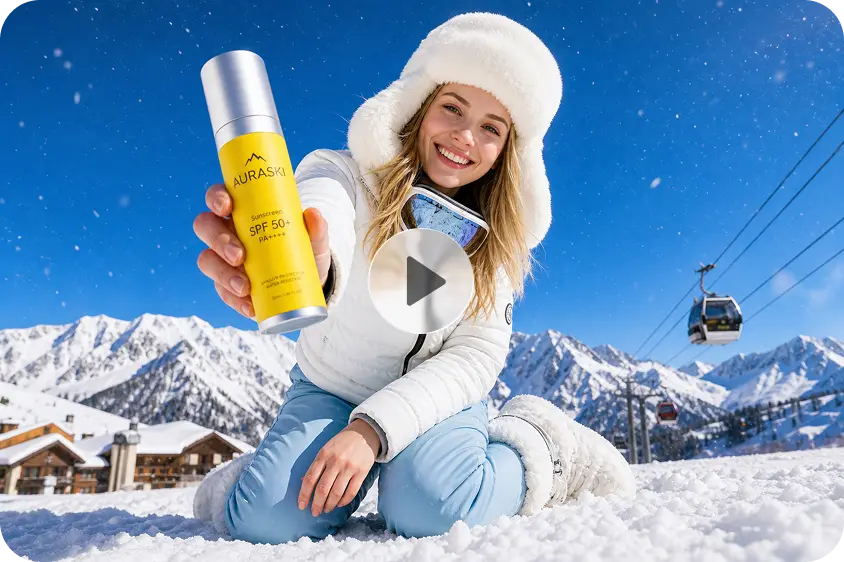
Generating the same video repeatedly can eat up precious time and credits when prompts are vague and involve key creative choices. Dreamina AI can aid in converting textual concepts into video drafts, which you can then enhance with prompts, references, and editing assistance. A conscious process begins with an idea for the subject, action, setting, camera motion, look, and end product. These decisions provide a clearer purpose for each generation. While AI won’t be able to create flawless results, careful planning can minimize unnecessary edits and boost creative productivity.
Understand Why Text-to-Video Prompts Miss Their Intended Results
When instructions are vague, contradictory, or do not include critical production specifications, the Text-to-Video process is less predictable. With a cue like ‘make a beautiful cinematic video’, the subject, lighting, composition, and movement are not clearly defined. Instead, tell the audience about a particular subject, place, lighting setup, and camera angle. When frantic movement is used in conjunction with sensitive details and slow pacing, the results can be undermined by the conflicting instructions. Prioritize one principal action, such as a paper airplane gliding through a sunlit room. Lastly, select appropriate dimensions, resolution, and an available model using Dreamina text to video AI before generating video. Setting priorities provides Dreamina AI with a more coherent interpretation of your creative direction.
Build a Prompt Framework That Reduces Unnecessary Iteration
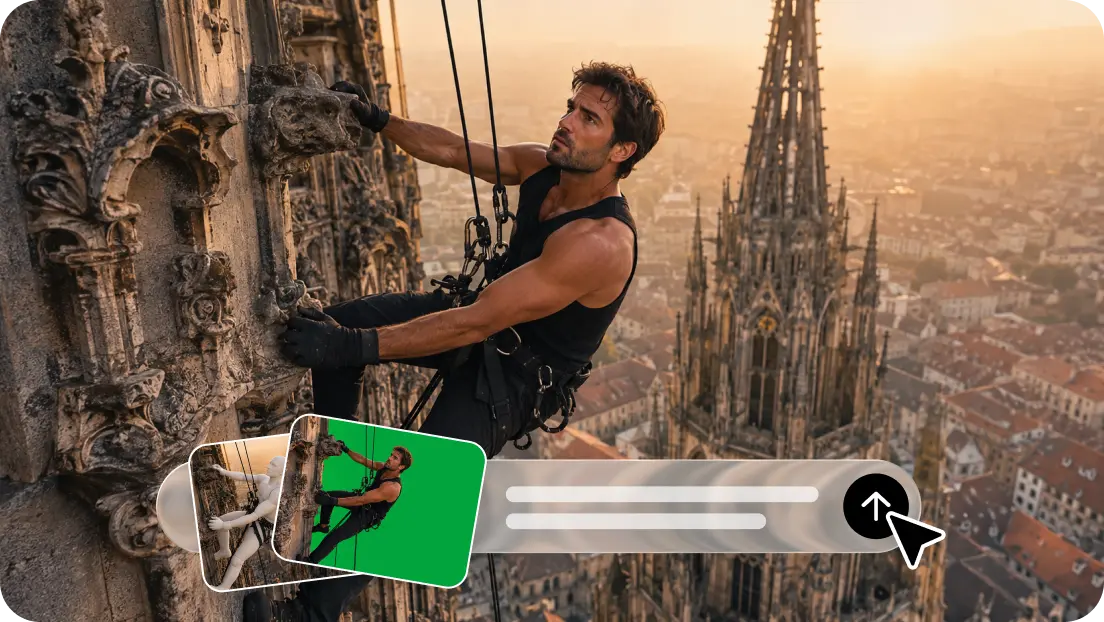
A reliable prompt starts with the key topic and then the key action and context of the topic. Explain how something changes in the clip, such as a product rotates, a character moves into a room, or mist lifts to reveal a mountain landscape. Indicate foreground elements, background elements, lighting, and camera movement to create space relationships. Next, choose a style – realistic, cinematic, minimalist, or animated. Add complementary colors and mood to this style. Use audio instructions only if sound is important; indicate ambience, music, or voice characteristics. This structured approach offers guidance but doesn’t overfill the prompt with conflicting information or ensure precision in how to do it.
How to get faster results with fewer rerolls using Dreamina’s AI text-to-video maker.
Step 1: Start with a precise prompt in Dreamina
-
Sign up or log in to Dreamina so you can create a video from text.
-
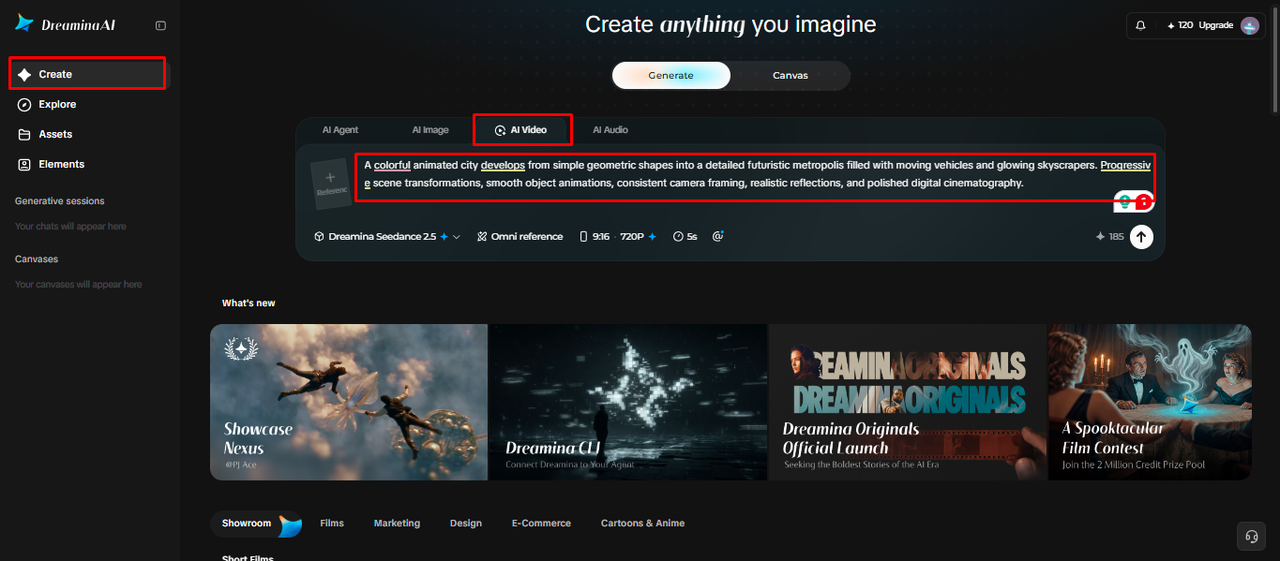
Select the “Create” tab from the left menu, then choose the “AI video” option.
-
Enter a detailed text prompt that spells out how your video should look and feel. Add video elements, sound, background, theme, and concept, since specific details reduce wasted rerolls later.
Step 2: Set the right options before you generate
-
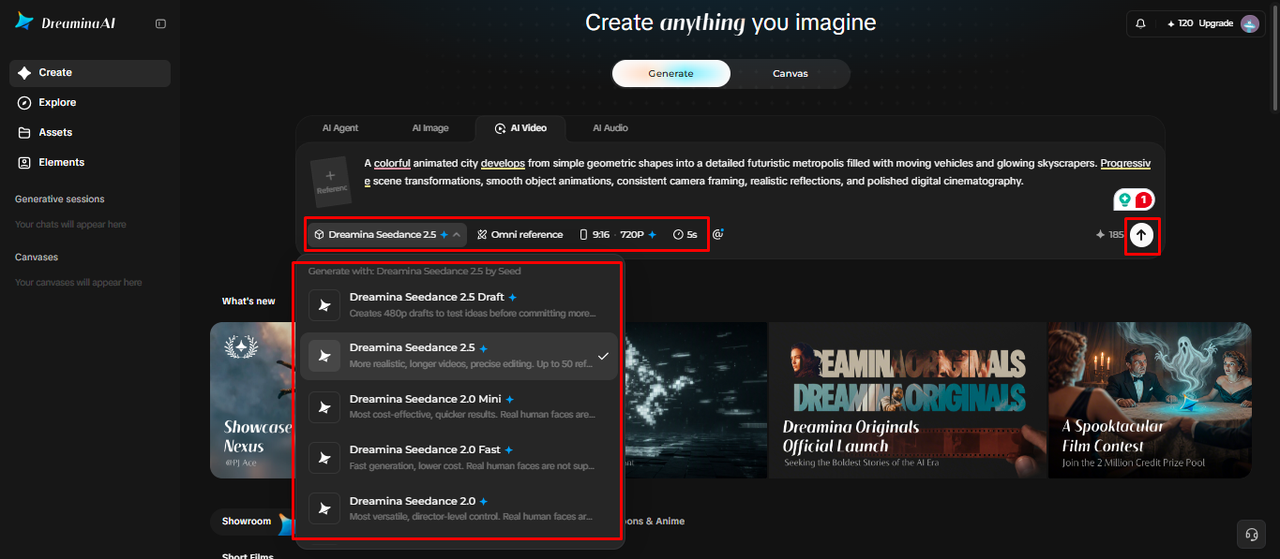
Choose a model carefully from the options at the bottom of the dialogue box first.
-
Available models also include Dreamina Seedance 2.5, Dreamina Seedance 2.0, and Dreamina Seedance 2.0 Fast. Dreamina Seedance 2.0 Mini, Dreamina Seedance 1.0, and other models give you even more choices.
-
Click “Omni reference” to guide the AI with multiple reference images and get accurate results.
-
Next, select the custom aspect ratio and resolution from the “Aspect ratio” and “Resolution” tabs.
-
Finally, click on the “Generate” tab to begin creation with all your carefully chosen settings.
Step 3: Refine in place instead of starting over
-
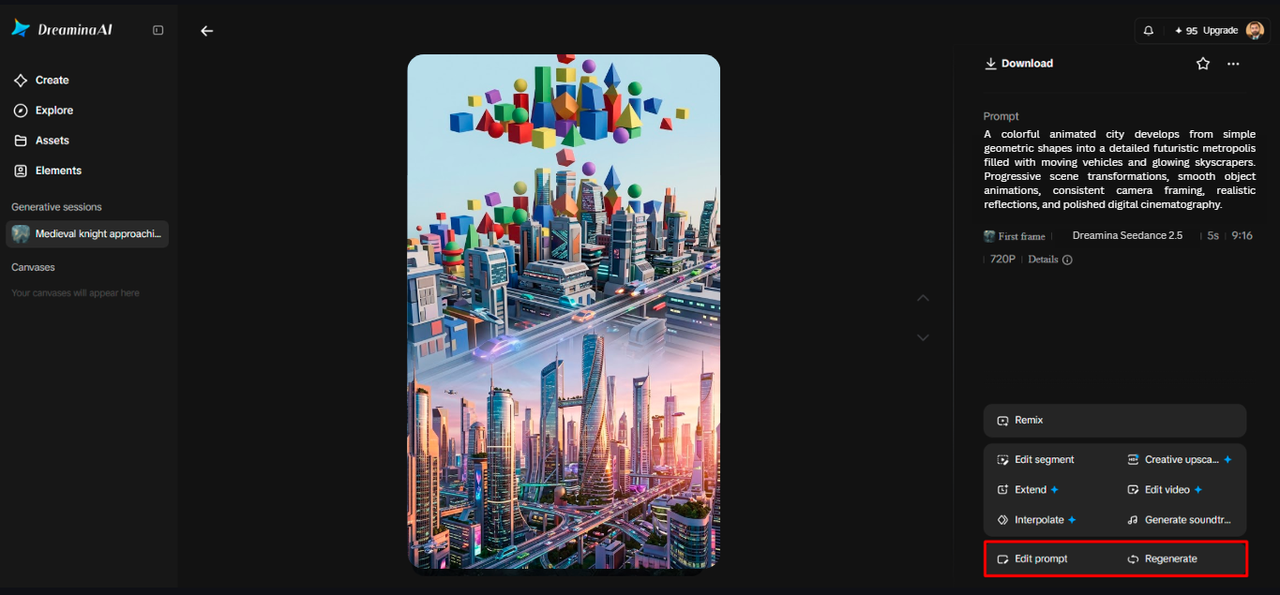
If you dislike the result, use “Edit prompt” or “Regenerate” to refine it much faster.
-
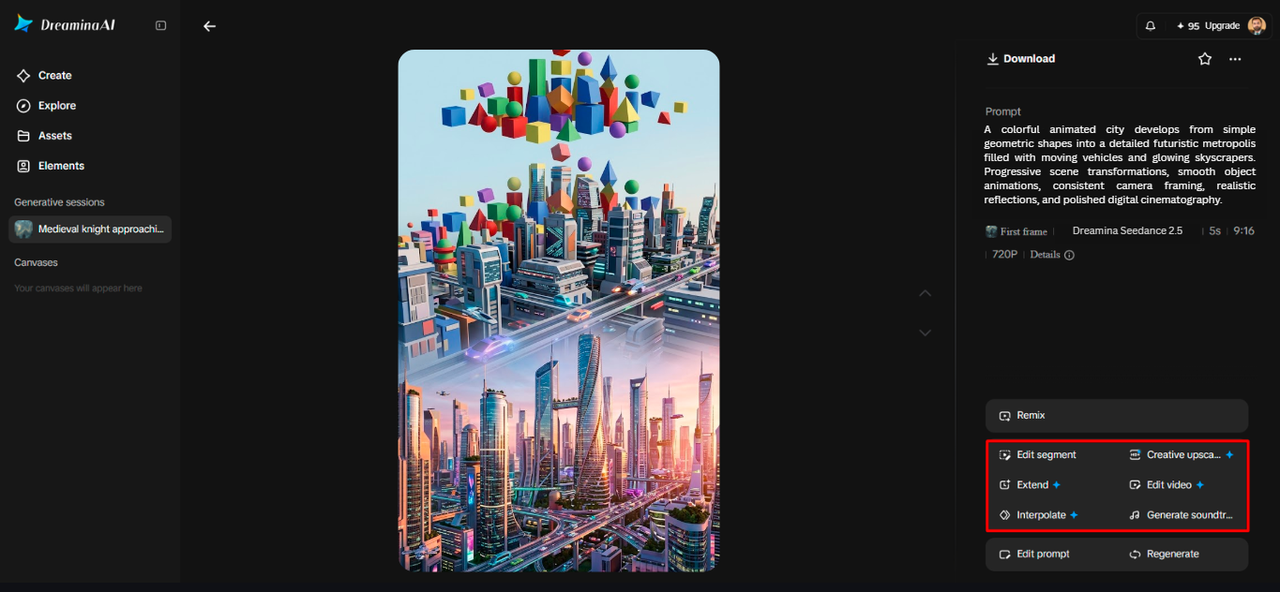
You can also edit the generated video using the “Edit video” option instead of rerolling.
-
Moreover, you can use “Edit segment” to edit only one part of the whole video.
-
Choose “Extend video” to lengthen your video, or use “Creative upscale” to improve its quality.
-
Dreamina gives you complete freedom to edit your video the way you truly like it.
-
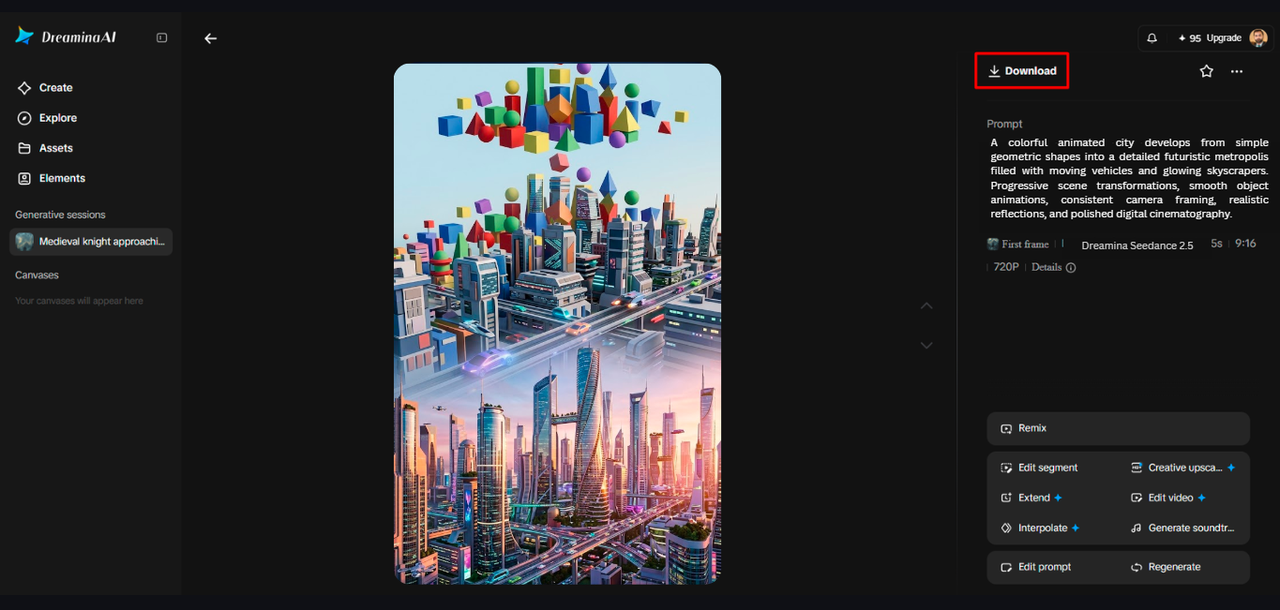
Finally, click the “Download” tab at the top right to save the video file locally.
Six Practical Ways to Reduce Guesswork Before Generating
-
Reference Preparation: Select appropriate images that will convey the desired look, composition, or color palette.
-
Single-Variable Testing: Test one key prompt element at a time to see which change makes a difference.
-
Settings Alignment: Before generating, select appropriate dimensions and resolution. Verify the availability of the model and the credit costs shown.
-
Targeted corrections: Indicate the segment or visual element that needs to be corrected. Use localized editing, if available.
-
Structured Review: Assess motion, composition, subject consistency, and visible artefacts against set criteria. Keep successful prompt wording for other similar projects.
Use References and Editing Tools More Strategically
Text-only prompting is effective for discussing ideas and providing for creative adaptations. When a product, a character, an opening frame, or a color scheme requires more visual support, image references come into play. Some of the features supported by Dreamina AI can aid in conveying appearance and creative direction, but not necessarily in a literal sense. Video references can be used to help illustrate movement, timing, and direction of the camera (when available). Select clips that illustrate the desired movement; don’t include extraneous examples.
Measure Efficiency Without Sacrificing Creative Quality
Define a usable draft before generating by identifying requirements for subject visibility, movement, composition, style, and technical suitability. These criteria help to make reviews more objective and separate out creative variation from failure. An unexpected result can spur a new direction, but it will not work if it detracts from the purpose. Use Dreamina AI credits wisely as it depends on the model, duration, resolution, generation mode and feature. Review the cost and perform a focused test that is displayed before putting more resources into a draft. Detailed prompts and references cannot ensure flawless movement, consistent objects, or execution. Check each candidate answer and only make changes to elements that would make a material difference to quality.
Conclusion
To minimize unnecessary rerolls, one must be prepared, have priorities, use the proper settings, and evaluate meaningfully. Dreamina AI offers a flexible workspace for creating video concepts, using references, and editing supported elements. Clear prompts set the direction, and targeted edits help maintain the successful elements of an existing draft. Taking a look at credit also helps to make more educated creative choices. Think of each generation as an intentional experiment, not a random shot. A well-defined process with realistic expectations will help increase production efficiency while still allowing for experimentation, creative judgment, and a final quality check.